
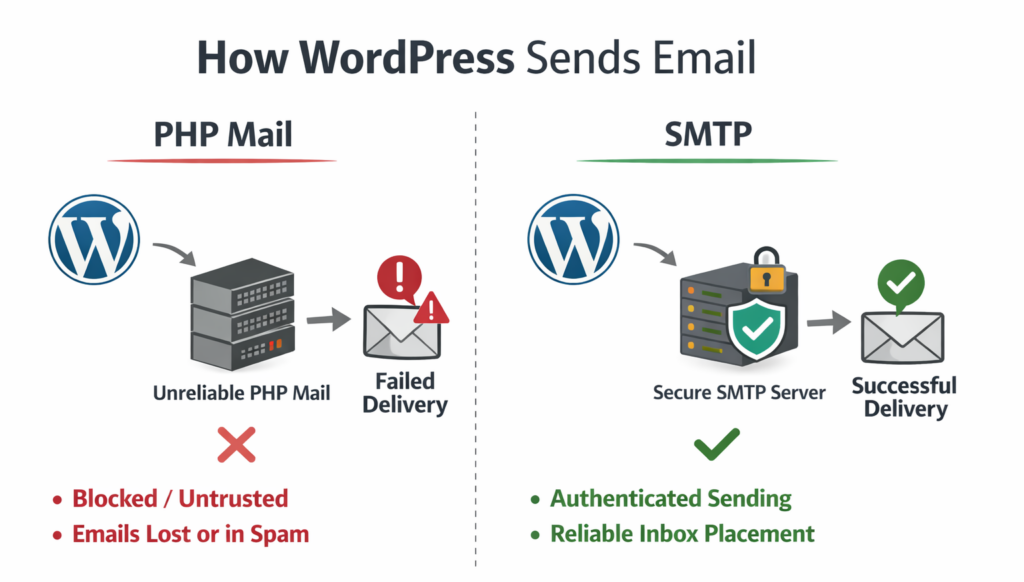
Why WordPress Emails Are Not Sending
By default, WordPress sends emails using the wp_mail() function, which relies on your hosting
provider’s built-in PHP mail configuration. On many modern servers, this system is restricted, rate-limited,
or not configured to meet current email security standards.
As a result, WordPress emails may:
- Fail silently without visible errors
- Be blocked by hosting providers
- Land in spam folders
- Never reach the recipient server
The frustrating part? Everything appears to work inside WordPress.
Common WordPress Email Problems
Contact Forms Not Sending Emails
Your contact form appears to submit correctly, but messages never reach your inbox. This often leads to lost leads and missed opportunities.
Password Reset Emails Missing
Users attempt to reset passwords but receive nothing, causing login frustration and support tickets.
WooCommerce Order Emails Not Delivered
Order confirmations and admin notifications may fail — affecting customer trust and revenue.
Emails Going to Spam
Even when sent, emails may lack authentication headers like SPF or DKIM, which damages inbox placement.
Why Default PHP Mail Fails Modern Standards
Email providers like Gmail, Outlook, and Yahoo expect:
- Authenticated sending servers
- Encrypted SMTP connections (SSL/TLS)
- SPF (Sender Policy Framework) records
- DKIM (DomainKeys Identified Mail) signatures
- Consistent sending reputation
PHP mail does not guarantee these requirements. SMTP does.
What SPF and DKIM Actually Do
SPF verifies that your server is allowed to send emails on behalf of your domain.
DKIM digitally signs your emails to prove authenticity.
When these records are configured correctly and emails are sent through authenticated SMTP, inbox providers trust your messages more.
How SMTP Fixes WordPress Email Delivery
SMTP (Simple Mail Transfer Protocol) routes your emails through a verified mail server instead of relying on default hosting settings.
Benefits include:
- Proper authentication
- Encrypted transmission
- Improved inbox placement
- Reduced spam classification
- Predictable email behavior
In simple terms: SMTP transforms unreliable WordPress email delivery into stable infrastructure.
Step-by-Step: How to Fix WordPress Emails Not Sending
- Install an SMTP plugin.
- Choose your SMTP provider (hosting SMTP, Gmail, Microsoft 365, Amazon SES, etc.).
- Enter SMTP host, port, username, and password.
- Enable SSL/TLS encryption.
- Send a test email.
- Verify SPF and DKIM records in your DNS.
A lightweight solution like Kodaic SMTP Mailer keeps WordPress’s native email flow intact while routing messages through authenticated SMTP.
Troubleshooting Checklist
- Is your SMTP port correct (usually 587 or 465)?
- Are your DNS SPF and DKIM records active?
- Is your “From Email” address using your domain?
- Is firewall blocking outbound SMTP?
- Are credentials correct?
Most WordPress email failures are solved within minutes once SMTP is configured properly.
Frequently Asked Questions
Why are my WordPress emails not sending?
Because WordPress uses PHP mail by default, which is often restricted or unauthenticated.
Does SMTP fix WordPress email problems?
Yes. SMTP authenticates and encrypts emails, improving reliability.
Do I need Gmail?
No. You can use hosting SMTP, Google Workspace, Microsoft 365, Amazon SES, SendGrid, or Mailgun.
Final Thoughts
If your WordPress emails are not sending, the issue is rarely your contact form plugin. It’s almost always default PHP mail.
Switching to authenticated SMTP ensures reliable delivery, protects your domain reputation, and prevents lost leads.
Browse all tools here: Kodaic WordPress Plugins