

WordPress Plugin
Free WordPress Admin Organizer Plugin – Clean Admin Suite – Unify Menus & Plugins
Free WordPress admin organizer plugin. Reorder menus, organize plugins, and reduce dashboard clutter with a clean admin suite.
- Clear, focused setup
- Lightweight and fast
- Built to WordPress.org standards
Clear UI
No noise
Why you might need Free WordPress Admin Organizer Plugin – Clean Admin Suite
Free WordPress Admin Organizer Plugin – Clean Admin Suite is built to solve a specific WordPress workflow problem with a calm, predictable experience.
This page explains what it does, when you need it, and how to set it up in minutes.
Pain points solved
- Too many menu items
- Too many plugins
- Too much visual noise.
What you get
- Unify Menus & Plugins
- Clear, focused setup
- Lightweight and fast
- Built to WordPress.org standards
Features
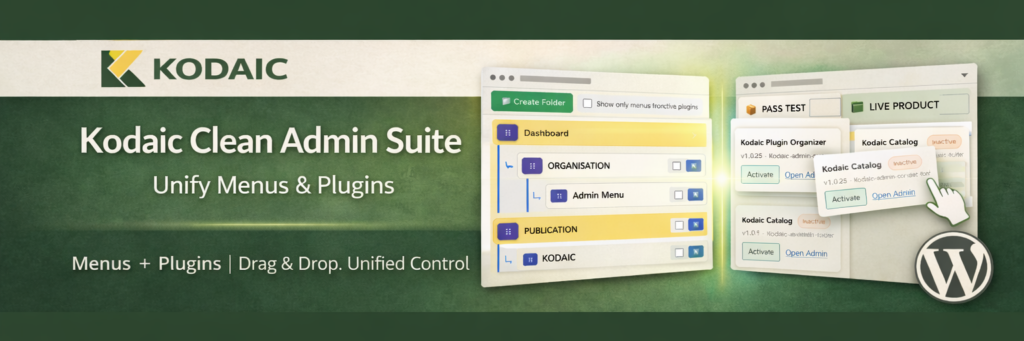
- Kodaic Clean Admin Suite combines two powerful admin tools into one unified interface:
Organize your Admin Menu
Structure and manage your Plugins
Control everything from a clean, distraction-free dashboard
No clutter.
- No unnecessary complexity.
- Just structured control.
- 🔧 Why Kodaic Clean Admin Suite?
- As WordPress sites grow, the admin area becomes crowded:
Too many menu items
Too many plugins
No clear structure
Kodaic Clean Admin Suite solves this by merging menu organization and plugin management into one streamlined system.
- Instead of juggling multiple tools, you get a single control center.
How it works
- Install the plugin.
- Configure the settings.
- Use it on your site.
Use cases
Individuals
Keep your WordPress workflow simple and reliable.
Agencies
Ship consistent setups across client sites with minimal overhead.
Site admins
Reduce friction and make routine tasks faster.
Setup
- Upload the plugin files to the /wp-content/plugins/kodaic-clean-admin-suite/ directory,or install the plugin through the WordPress “Plugins” screen directly
- Activate the plugin through the Plugins screen in WordPress
- Navigate to the Kodaic Clean Admin Suite menu in your WordPress dashboard
- Start organizing:
- Reorder and structure your Admin Menu
- Create folders and manage your Plugins
- Drag & drop items to match your workflow
- Requirements
- WordPress 6.0 or higher
- PHP 7.4 or higher
Troubleshooting
Does this plugin modify or delete any WordPress data?
No.Kodaic Clean Admin Suite only reorganizes how menus and plugins are displayed in the admin area. It does not delete, alter, or interfere with WordPress core data.
Can I revert my changes?
Yes.You can reorder items again at any time. Hidden items can be restored instantly. The plugin is designed to be fully reversible.
Does it affect frontend performance?
No.The plugin works only inside the WordPress admin dashboard and does not load assets on the frontend.
Can I use only the Menu Organizer or only the Plugin Organizer?
Yes.You can use the features independently depending on your workflow needs.
Is it safe for client websites?
Yes.The plugin follows WordPress coding standards and does not introduce external dependencies or tracking.
Will it work with custom post types and custom plugins?
Yes.All registered admin menu items and installed plugins can be organized, including custom post types and third-party plugins.
Free WordPress Admin Organizer Plugin – Clean Admin Suite vs alternatives
A simple comparison focused on clarity and setup experience.
| Feature | Free WordPress Admin Organizer Plugin – Clean Admin Suite | Typical alternatives |
|---|---|---|
| UI complexity | Simple | Often busy |
| Focus | Core job only | Extra panels |
| Setup | Fast | Varies |
FAQ
Does this plugin modify or delete any WordPress data?
No.Kodaic Clean Admin Suite only reorganizes how menus and plugins are displayed in the admin area. It does not delete, alter, or interfere with WordPress core data.
Can I revert my changes?
Yes.You can reorder items again at any time. Hidden items can be restored instantly. The plugin is designed to be fully reversible.
Does it affect frontend performance?
No.The plugin works only inside the WordPress admin dashboard and does not load assets on the frontend.
Can I use only the Menu Organizer or only the Plugin Organizer?
Yes.You can use the features independently depending on your workflow needs.
Is it safe for client websites?
Yes.The plugin follows WordPress coding standards and does not introduce external dependencies or tracking.
Will it work with custom post types and custom plugins?
Yes.All registered admin menu items and installed plugins can be organized, including custom post types and third-party plugins.
Does it support multisite?
If network activated, the plugin works within the appropriate admin context. (Adjust if your implementation is single-site only.)
Technical details
- Version: 1.1.0
- Requires WordPress: 6.0
- Tested up to: 6.9
- Requires PHP: 7.4
- License: GPL-2.0-or-later